



October 30, 2026

Buying laptops in Lagos should start with your daily needs, not just the brand name. Students, office workers, business owners, remote workers, designers, and gamers all need different features. Therefore, the best laptop for one person in Lagos may be the wrong choice for another.
If you are searching for laptops in Lagos, this guide will help you make a confident decision. We explain the most important specifications, show you what to look for at different use levels, and share a simple checklist for buying from an online technology store in Lagos State. You can also browse the P E Technologies laptop category to view available products.
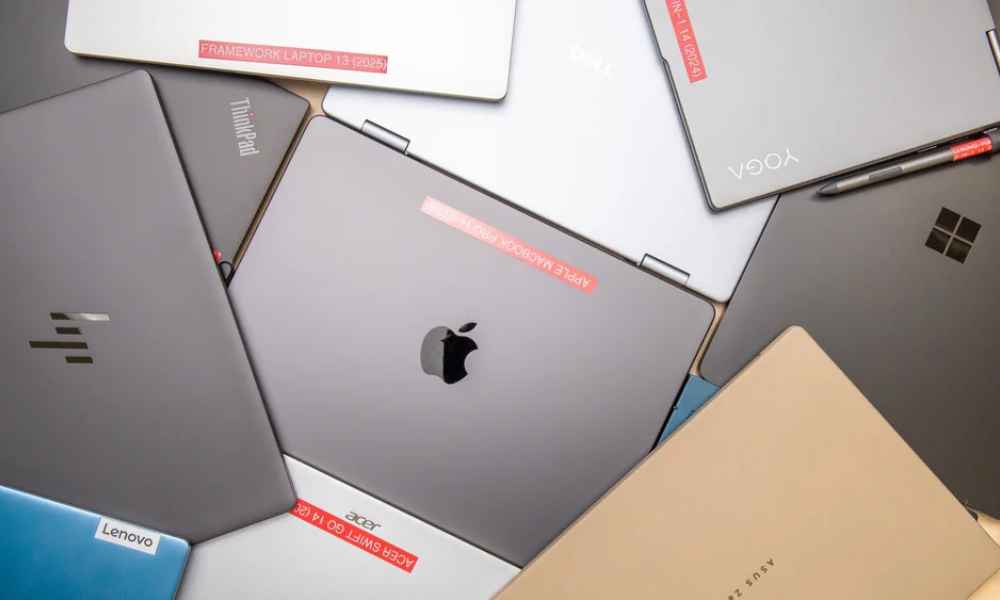
The best laptop depends on what you plan to do with it. For basic schoolwork, browsing, documents, and video calls, choose a reliable laptop with at least 8GB of RAM, an SSD, a comfortable keyboard, and good battery life. For office work and heavier multitasking, 16GB of RAM and a modern Core i5, Core i7, or AMD Ryzen 5 processor can provide more working space.
For design, video editing, engineering software, or gaming, you may need a stronger processor, 16GB or more RAM, fast SSD storage, and a dedicated graphics card. In every case, however, confirm the exact model, condition, warranty, accessories, and availability before you pay.
The best laptop specifications for university students in Lagos depend on the course and the software required. A law, accounting, or education student may mainly use Word, Excel, PowerPoint, PDF documents, browsers, and online learning tools. By contrast, engineering, architecture, computer science, design, and media students may need more memory, storage, processing power, or a dedicated graphics card.
Use this table as a starting point rather than a fixed rule. Before buying, check the requirements of the applications used by your department.
|
Student course or workload
|
Practical starting specification
|
What to prioritise
|
|---|---|---|
|
Law, arts, education, and social sciences
|
Core i3/i5 or Ryzen 3/5, 8GB RAM, 256GB SSD
|
Battery, keyboard, portability, webcam
|
|
Accounting, economics, and business
|
Core i5 or Ryzen 5, 8GB–16GB RAM, 256GB–512GB SSD
|
Spreadsheet comfort, screen size, reliability
|
|
Computer science and programming
|
Core i5/Ryzen 5 or better, 16GB RAM preferred, 512GB SSD
|
RAM, processor, keyboard, upgrade options
|
|
Engineering and architecture
|
Core i5/i7 or Ryzen 5/7, 16GB RAM target, 512GB SSD or more
|
Software compatibility, graphics, cooling
|
|
Graphic design and media
|
Core i5/i7 or Ryzen 5/7, 16GB RAM or more
|
Display quality, SSD, graphics performance
|
|
Medicine and health sciences
|
Core i5 or Ryzen 5, 8GB–16GB RAM, 256GB–512GB SSD
|
Portability, battery, storage, video calls
|
For most students, an SSD is a better starting point than an older hard drive. Also, 8GB RAM can support ordinary schoolwork, while 16GB is more comfortable for programming, design, large spreadsheets, and heavier multitasking.
The best laptops for office work in Lagos should support documents, spreadsheets, email, video meetings, browser-based platforms, customer service tools, and business software. They should also be comfortable for long typing sessions and practical to maintain.
When comparing office laptops, pay attention to the processor, RAM, SSD storage, keyboard, webcam, battery condition, ports, build quality, and after-sales support. For many office users, a modern Core i5 or Ryzen 5 with 8GB–16GB RAM and an SSD is a sensible starting point. A business-class laptop can also be a good choice because it often offers stronger build quality and easier access to replacement parts.
For office teams, the HP ProBook 440 G11 and Lenovo ThinkPad T14 Gen 4 supplied by P E Technologies are examples of business-focused options. For budget-conscious schools and offices, the Dell Latitude 7490 may be worth considering when its refurbished condition, battery, charger, and warranty are confirmed.
Students who want to work and study need a balanced laptop rather than the most expensive model. The device should handle research, assignments, online classes, video calls, spreadsheets, communication, and the student’s work tools without becoming difficult to carry.
For a mixed workload, consider at least 8GB RAM, SSD storage, a comfortable keyboard, a reliable webcam, and a display that suits daily reading. Students who use programming tools, creative applications, virtual machines, or large files should consider 16GB RAM and 512GB SSD storage where their budget allows.
The HP Laptop AI 15-fd2050wm supplied by P E Technologies may suit students and everyday professionals who want a 15.6-inch Full HD touchscreen, 8GB DDR5 RAM, 512GB SSD storage, and Windows 11. Confirm current price, stock, charger, warranty, and upgrade options before ordering.
The following models were supplied by P E Technologies as current options for education, office work, government deployments, budget-conscious teams, and executive use. They are included to make this guide more useful to buyers comparing laptops in Lagos for real school and business needs. Prices, stock, operating system, condition, and warranty should be confirmed with P E Technologies before an order because technology prices and availability can change.
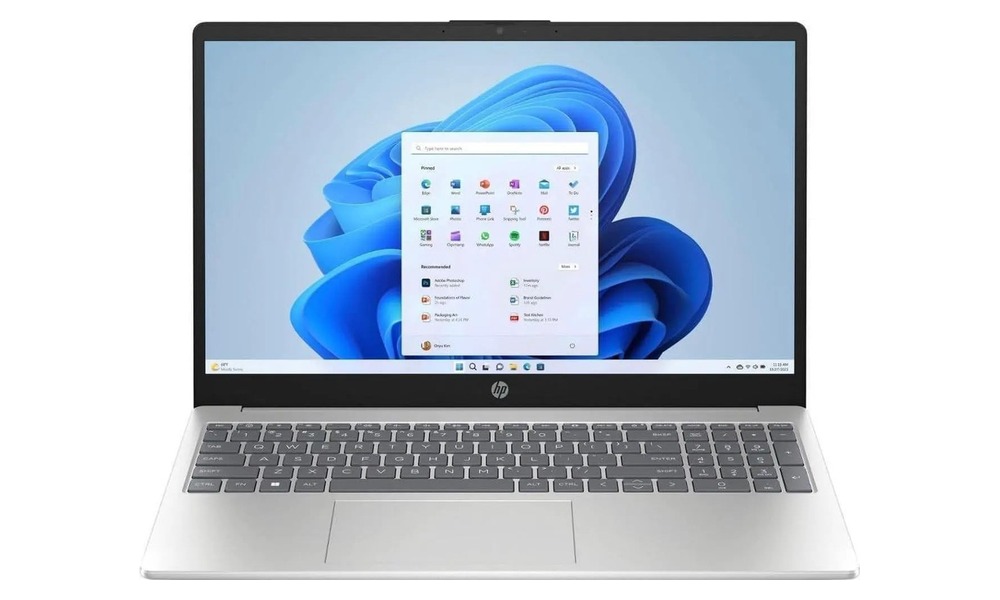
The HP Laptop AI 15-fd2050wm is a strong option for students and professionals who want a larger screen, modern processing, and fast storage. The supplied configuration includes an Intel Core Ultra 5 225U processor, 8GB of DDR5-5600 RAM, a 512GB PCIe NVMe SSD, a 15.6-inch Full HD touchscreen, integrated Intel graphics, and Windows 11. The RAM and storage are listed as upgradeable, but confirm the exact upgrade path before purchase.
This model may suit research, documents, online learning, video calls, presentations, browsing, and general office work. However, buyers should still confirm current stock, price, charger, warranty, and delivery terms with P E Technologies before payment.
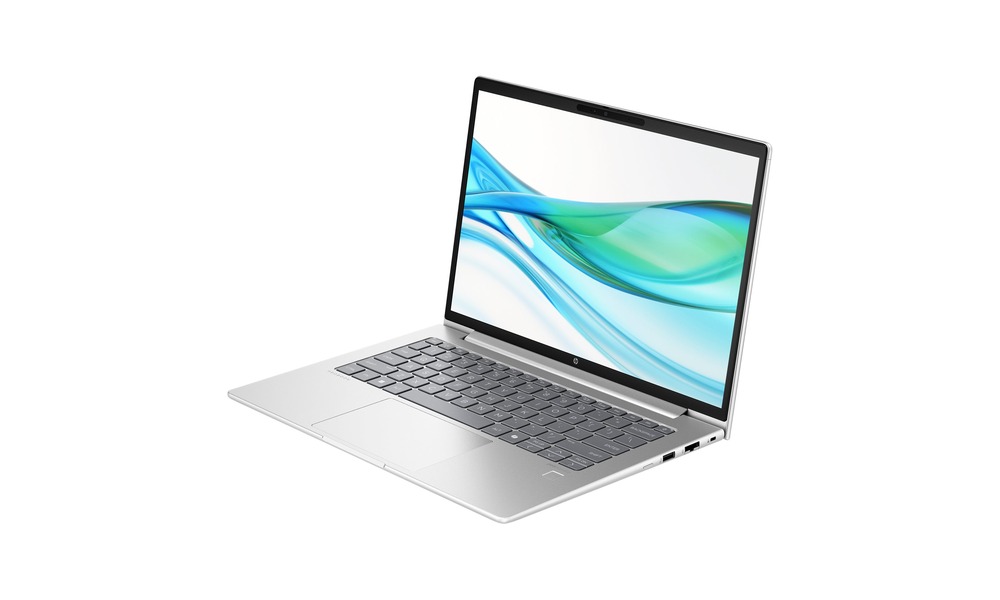
The HP ProBook 440 G11 is designed for business productivity in a portable 14-inch form factor. The supplied details include an Intel Core Ultra 5 125U processor, 8GB RAM, a 512GB PCIe NVMe SSD, Intel graphics, and a 1920×1200 IPS display. The taller display can provide useful vertical space for spreadsheets, documents, and business applications.
The supplied catalogue information lists FreeDOS for this unit. Therefore, corporate buyers should confirm whether Windows is installed or whether the organisation must budget for a separate operating system licence. For team deployments, also confirm upgrade options, warranty coverage, accessories, and the final price.
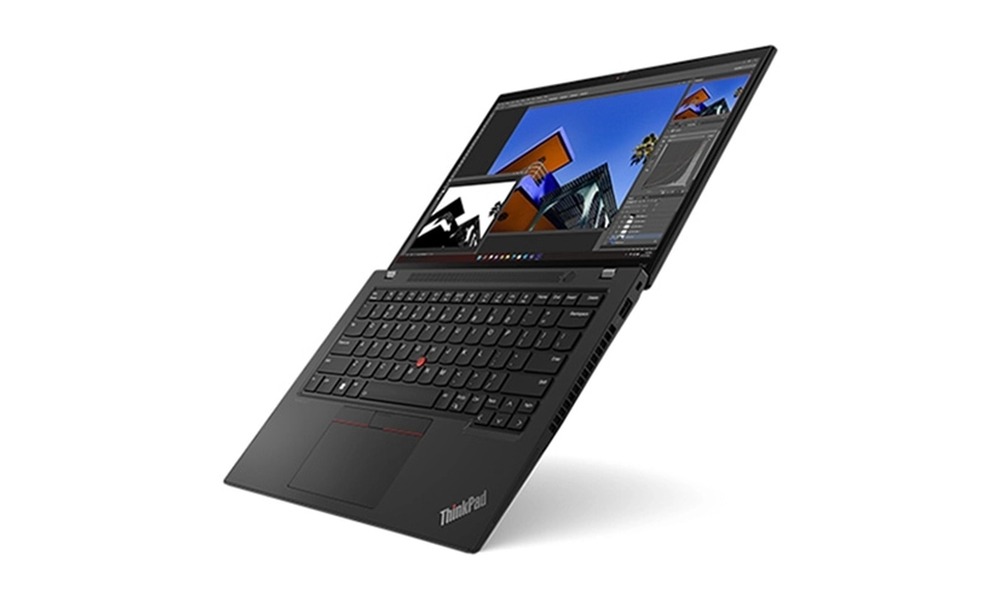
The Lenovo ThinkPad T14 Gen 4 is suited to organisations that need business-class management, security, and reliable connectivity. The supplied configuration includes an Intel Core i5-1345U vPro processor, 16GB DDR4 RAM, a 512GB NVMe SSD, a 14-inch WUXGA IPS display, Windows 11 Pro, Thunderbolt 4, USB-A, HDMI 2.1, and wired Ethernet connectivity.
Intel vPro features can support certain remote-management and security workflows, although the exact capabilities depend on the organisation’s IT setup. Government departments and larger teams should confirm the model configuration, warranty, documentation, deployment requirements, and current price before placing a purchase order.
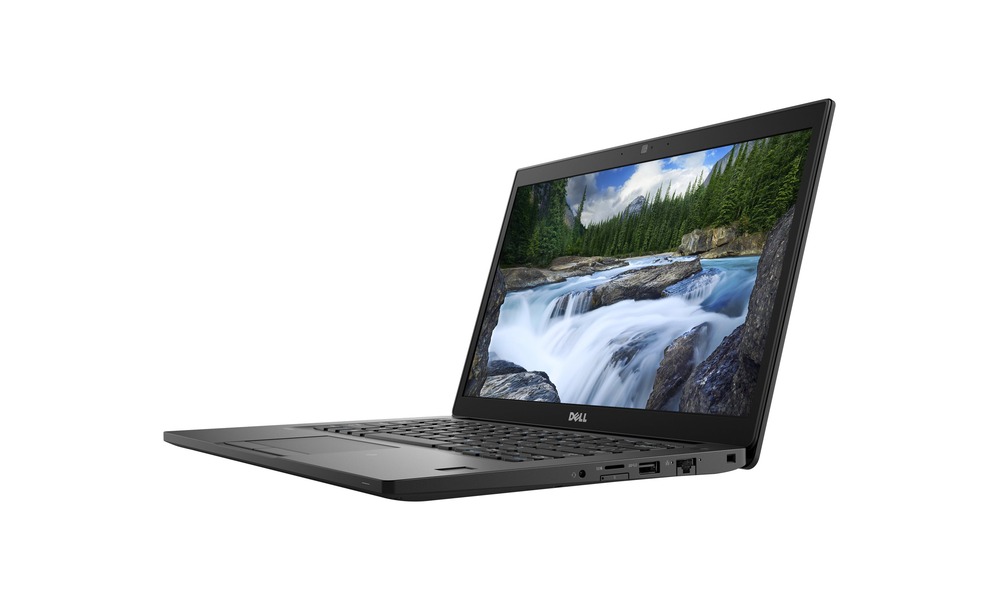
The Dell Latitude 7490 can be considered where a school, office, or administrative team needs practical business performance at a lower entry cost. The supplied unit includes an Intel Core i5 processor, 8GB DDR4 RAM, a 256GB SSD, a 14-inch Full HD display, USB-C, USB-A, HDMI, RJ-45, and an SD card reader. It is listed as refurbished or used, so the condition grade matters.
The supplied price is ₦400,000. Before buying, ask P E Technologies to confirm battery health, screen and keyboard condition, charger status, included accessories, warranty, return terms, and whether Windows 11 is installed on the exact unit you will receive.
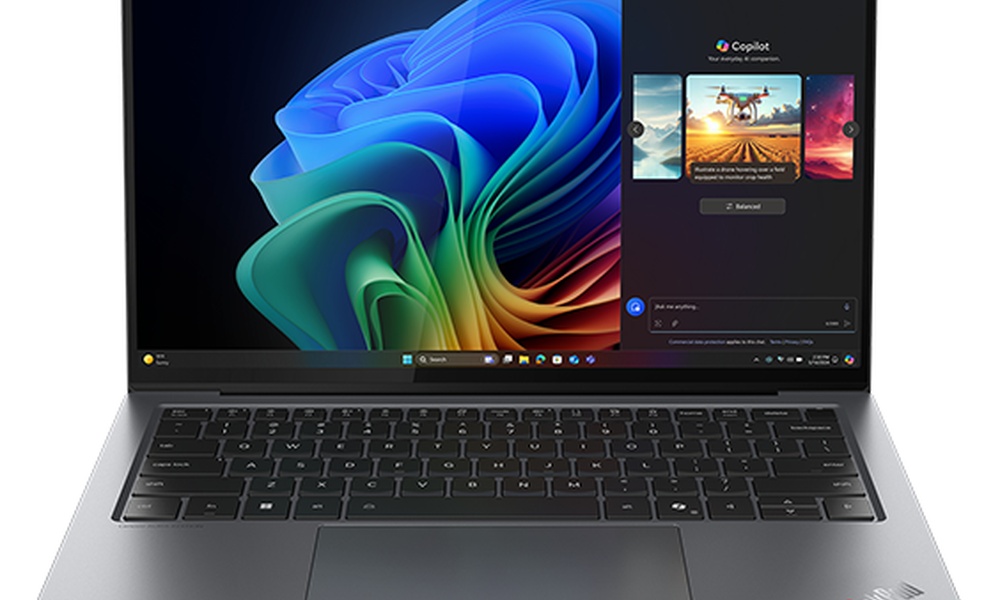
The Lenovo ThinkPad X9 14 Aura Edition is the premium option in the supplied list. Its configuration includes an Intel Core Ultra 7 258V processor, 32GB of onboard LPDDR5X RAM, a 1TB PCIe NVMe SSD, a 14-inch 2.8K OLED touchscreen with a 120Hz refresh rate, integrated Intel graphics, and Windows 11 Pro.
The 32GB RAM is listed as non-upgradable, so the configuration should match the expected working life of the device. The supplied price is ₦2,517,900. Confirm live availability, exact warranty coverage, included charger, and final pricing before purchase.
For corporate, education, and government purchases in Lagos, ask P E Technologies to confirm delivery coverage, expected dispatch time, payment process, return eligibility, and support arrangements. The supplied company information states that delivery can be arranged to major Nigerian cities and that bulk orders may receive dedicated logistics support. Confirm the applicable terms for your specific order, especially when buying refurbished devices or multiple units.
You can contact P E Technologies on 08178091314, email info@petechs.ng, or visit 11 Toyin Street, Ikeja, Lagos, subject to confirmation that these details are still current. For the latest stock and category listings, use the P E Technologies laptop category or request a quote.
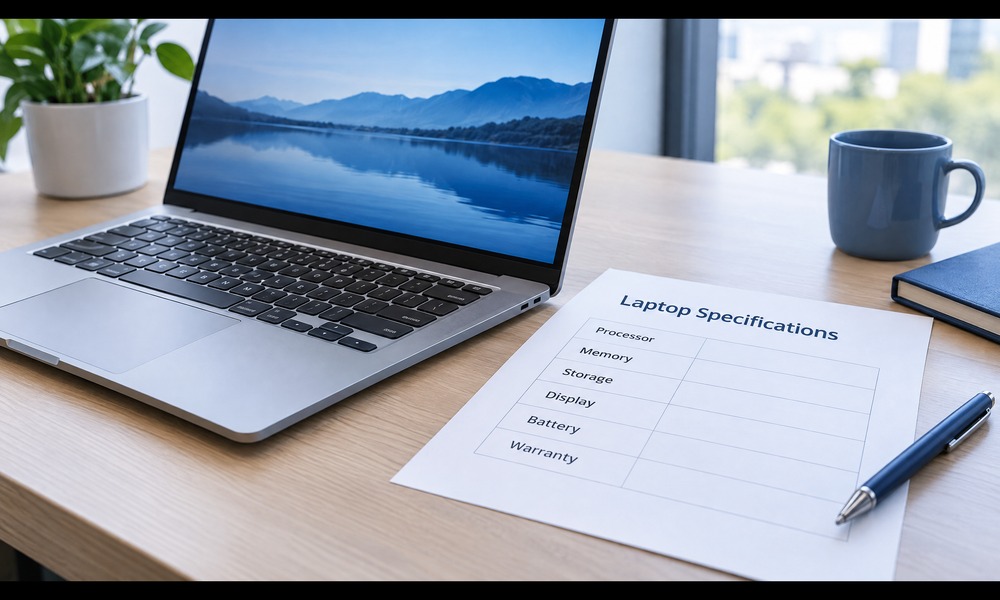
First, decide what the laptop must help you accomplish. A student who mainly writes assignments, attends online classes, and browses the web does not need the same specifications as a video editor. Likewise, a business owner who uses spreadsheets and accounting software may value a larger display and a comfortable keyboard more than advanced graphics.
Write down your top three uses before you start shopping. This simple step makes the buying process easier because you can compare laptops against your real needs rather than against attractive but unnecessary specifications.
The processor, also called the CPU, affects how quickly a laptop handles tasks. Entry-level processors can work for browsing, word processing, email, and light schoolwork. However, people who regularly multitask should consider a modern Intel Core i5, Intel Core i7, or AMD Ryzen 5 or Ryzen 7 model.
Processor names can be confusing because the generation and exact model also matter. As a result, do not choose a laptop by looking only at “Core i5” or “Ryzen 5.” Ask for the full model number and compare it with the software you plan to use. If you are unsure, ask P E Technologies for guidance before ordering.
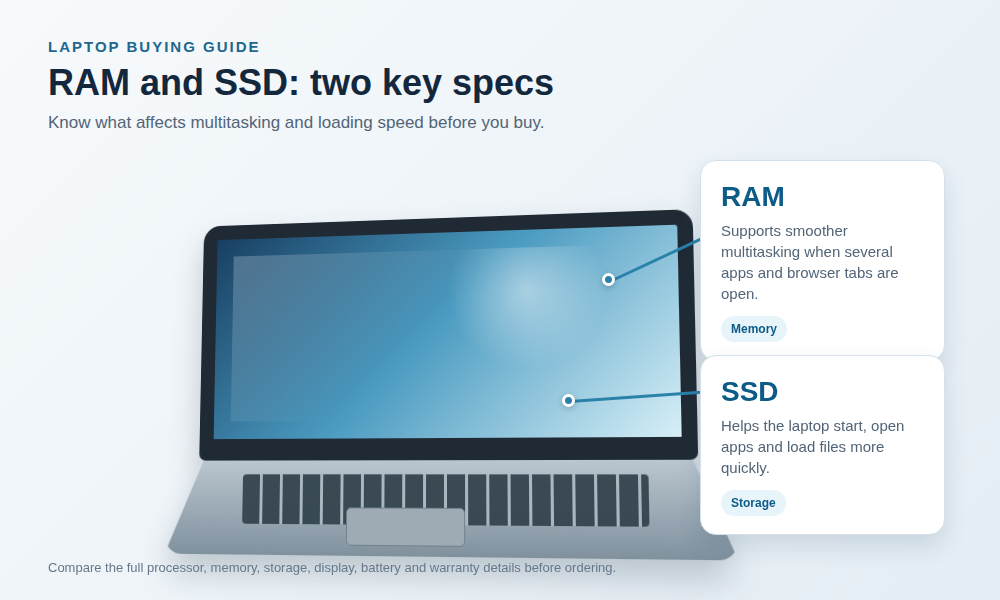
RAM helps your laptop manage several open applications. With 8GB, many users can handle documents, browser tabs, video calls, and basic business tools. Nevertheless, 16GB is a more comfortable choice for heavier multitasking, creative work, programming, large spreadsheets, and some professional software.
If you often keep many browser tabs open, switch between applications, or work with large files, more RAM can make the laptop feel smoother. Therefore, include your working habits in the decision instead of choosing the lowest price automatically.
Storage holds your operating system, applications, documents, photos, and videos. An SSD usually provides faster start-up and file access than an older mechanical hard drive. For many students and office users, a 256GB SSD can be a practical starting point. However, people with large design files, videos, games, or business archives may need 512GB or more.
Before buying, check both the storage type and capacity. A laptop advertised with “large storage” may still use an older drive. If you need extra space, you can also ask whether the laptop supports an upgrade or use an external drive for files that do not need to remain on the computer.
A 14-inch laptop is often a good balance between portability and workspace. A 15.6-inch screen can be more comfortable for spreadsheets, design, entertainment, and extended office work. Meanwhile, smaller laptops may be easier to carry between lectures, meetings, and client visits.
Also check the screen resolution, brightness, viewing angle, and finish. A Full HD display can make text and images appear clearer, while a bright screen is more useful in rooms with strong daylight. If you work with colour-sensitive design, ask for display details before placing an order.
Battery performance depends on the model, software, screen brightness, network use, and battery condition. Newer laptops may offer useful battery life for classes, meetings, or travel. However, used laptops can vary significantly, so ask about battery health and expected practical use before buying.
A good charger is equally important. Confirm that the charger is included, compatible with the device, and in good condition. Additionally, ask about replacement options if the charger is lost or damaged.
A laptop can have excellent specifications and still be uncomfortable to use. Test or confirm the keyboard layout, touchpad, webcam, microphone, speakers, and available ports. Depending on your work, you may need USB ports, HDMI, an audio jack, an SD card slot, or USB-C.
For online classes and remote work, a dependable webcam, microphone, Wi-Fi connection, and Bluetooth support can improve everyday convenience. Therefore, review the complete product description instead of relying on the product name alone.

Students often need a laptop for research, documents, online classes, presentations, communication, and entertainment. A practical student laptop should be easy to carry, dependable, and comfortable for long reading or typing sessions.
For basic academic work, look for 8GB RAM, SSD storage, a modern entry-level or mid-range processor, a clear display, and a battery that can support your routine. If you study engineering, architecture, computer science, media, or another demanding course, check the software requirements first. A stronger laptop may save you from replacing the device too soon.
Office and remote workers need reliable performance for email, documents, meetings, spreadsheets, cloud tools, and business platforms. In this case, keyboard comfort, webcam quality, storage, screen size, and stable performance are especially important.
A laptop with 8GB RAM may be enough for standard tasks. However, 16GB can provide a better experience if you regularly use many tabs, video meetings, spreadsheets, and business applications at the same time. Also consider portability if you work from different locations.
Business owners should consider reliability, support, security, and the cost of downtime. A dependable laptop can support accounting, inventory, customer communication, online sales, presentations, and business administration.
Instead of choosing a laptop based only on the cheapest available price, compare the full value. Check the condition, warranty terms, charger, operating system, storage, and after-sales support. If you are buying several laptops for a team, ask P E Technologies about suitable options for your budget and workflow.
Creative work often requires more processing power, RAM, storage, and display quality. Graphic design, video editing, 3D work, and large creative projects can place heavy demands on a laptop.
Look for 16GB or more RAM where the software requires it, fast SSD storage, a capable processor, and a display that suits your work. Some applications also benefit from a dedicated graphics card. Before buying, check the recommended requirements for your main software and compare them with the exact laptop model.
Gaming laptops need a balance of processor speed, graphics performance, cooling, RAM, storage, and display refresh rate. They are usually heavier and may have shorter battery life during demanding use. Consequently, they are best chosen for performance rather than portability alone.
Check the graphics card, processor model, RAM, SSD capacity, screen resolution, refresh rate, cooling design, and power adapter. You should also verify that the laptop can run the games or creative applications you use. When in doubt, share the software or game titles with the seller before purchasing.
|
User type
|
Recommended starting point
|
Features to prioritise
|
|---|---|---|
|
Basic schoolwork
|
8GB RAM, SSD storage
|
Portability, keyboard, battery, webcam
|
|
Office and remote work
|
8GB–16GB RAM, SSD storage
|
Processor, keyboard, webcam, screen, connectivity
|
|
Business administration
|
8GB–16GB RAM, SSD storage
|
Reliability, support, security, warranty, upgrade options
|
|
Design and editing
|
16GB or more where required
|
Processor, graphics, RAM, SSD, display quality
|
|
Gaming
|
16GB or more where required
|
Dedicated graphics, cooling, display, processor, SSD
|
These are general starting points rather than fixed rules. Software requirements, product condition, budget, and available stock should guide the final choice.
A new laptop may offer newer components, longer expected support, and a fresh battery. On the other hand, a professionally inspected used laptop can provide useful performance at a lower entry cost. The right choice depends on your needs, budget, risk tolerance, and the seller’s inspection and support process.
If you are considering a used laptop, ask for the exact model, processor generation, RAM, storage type, battery condition, screen condition, keyboard condition, charger status, operating system, and warranty terms. Also, request clear product photos and confirm whether the stated condition matches the device you will receive.
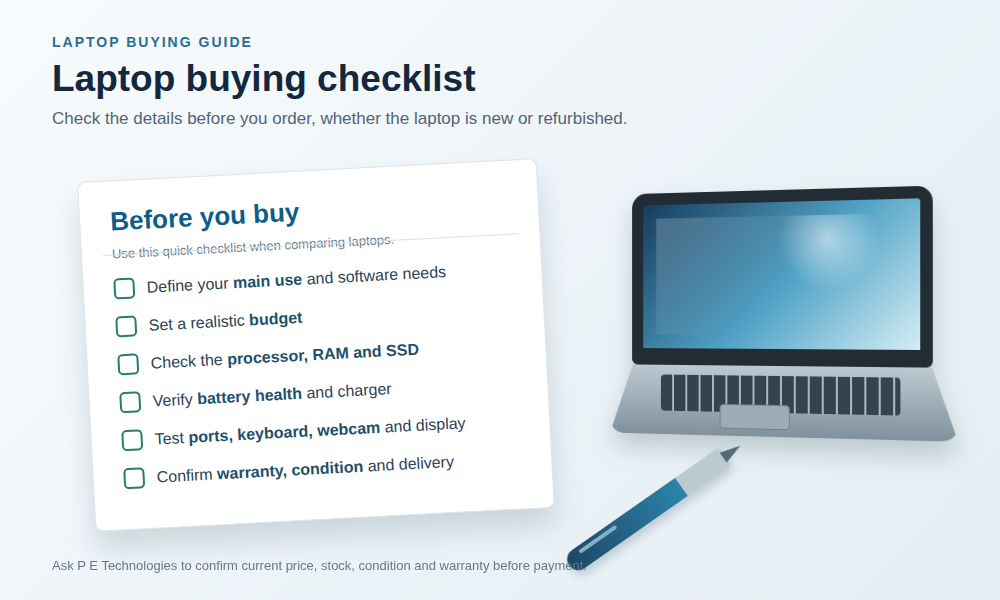
Before you place an order, confirm the full product specification and the current price. Next, check whether the product is in stock and whether the displayed images match the actual model. You should also ask about delivery coverage, payment options, warranty, returns, and after-sales support.
It is useful to keep a written record of the product name, specifications, agreed price, delivery details, and support terms. Furthermore, use a secure payment process and keep your order confirmation until the device has been received and tested.

P E Technologies provides an online technology marketplace with computing, laptops, phones, home appliances, electric power products, and technology solutions. The laptop category includes a range of products, so shoppers can compare available options according to use, specifications, and budget.
Because stock and product details can change, the best next step is to view the latest laptops available or contact P E Technologies for help with product selection. The team can confirm current availability, specifications, price, delivery, and any applicable warranty before you complete your purchase.
The best laptop in Lagos is the one that matches your main tasks, software, budget, and support needs. For basic work, focus on dependable performance, SSD storage, adequate RAM, battery life, and a comfortable keyboard. For design, editing, engineering, or gaming, choose stronger specifications after checking the requirements of your software.
Many students can begin with 8GB RAM for documents, browsing, online classes, and basic applications. However, 16GB may be more suitable for programming, design, data work, large files, or heavy multitasking. Always check the requirements of your course software before choosing.
A used laptop can be worthwhile when it has been properly inspected and its condition is clearly stated. Ask about the processor generation, RAM, SSD or hard drive, battery, charger, screen, keyboard, warranty, and return terms. A reliable seller should provide clear product information before payment.
Yes. You can review the available laptop products or contact P E Technologies with your budget, main use, preferred screen size, and software requirements. The team can then help you compare suitable options that are currently available.
Not sure which laptop fits your course, office role, budget, or software? Contact P E Technologies before you pay. Share your requirements and the team can confirm suitable models, current price, stock status, condition, warranty, delivery, and any available alternatives.
Send a WhatsApp message to 08178091314 with your budget, main use, preferred screen size, and any software requirements.
Use a short form so the sales team receives enough information to make a useful recommendation without creating friction.
Choosing among laptops in Lagos becomes easier when you start with your needs and compare the details carefully. First, decide how you will use the device. Then, compare the processor, RAM, storage, display, battery, ports, condition, support, and total cost.
If you are ready to compare laptops in Lagos, visit the P E Technologies laptop category. You can also request a quote if you need help choosing a laptop for school, office work, business, design, or everyday use.



Shop Smart, Order Fast

Secure Payments, Buy With Confidence

Get Your Tech Delivered Quickly

Support Anytime, We’re Always Here
Shop quality tech products and services—reliable, fast delivery, expert support, nationwide.
© 2026 P E Technologies. All rights reserved.
WhatsApp us